

Features
Everything a practice runs on, in one system.
Cases set up for your practice areas, documents that fill themselves from the file, time and billing through to the invoice, and the controls a firm needs over who sees what.
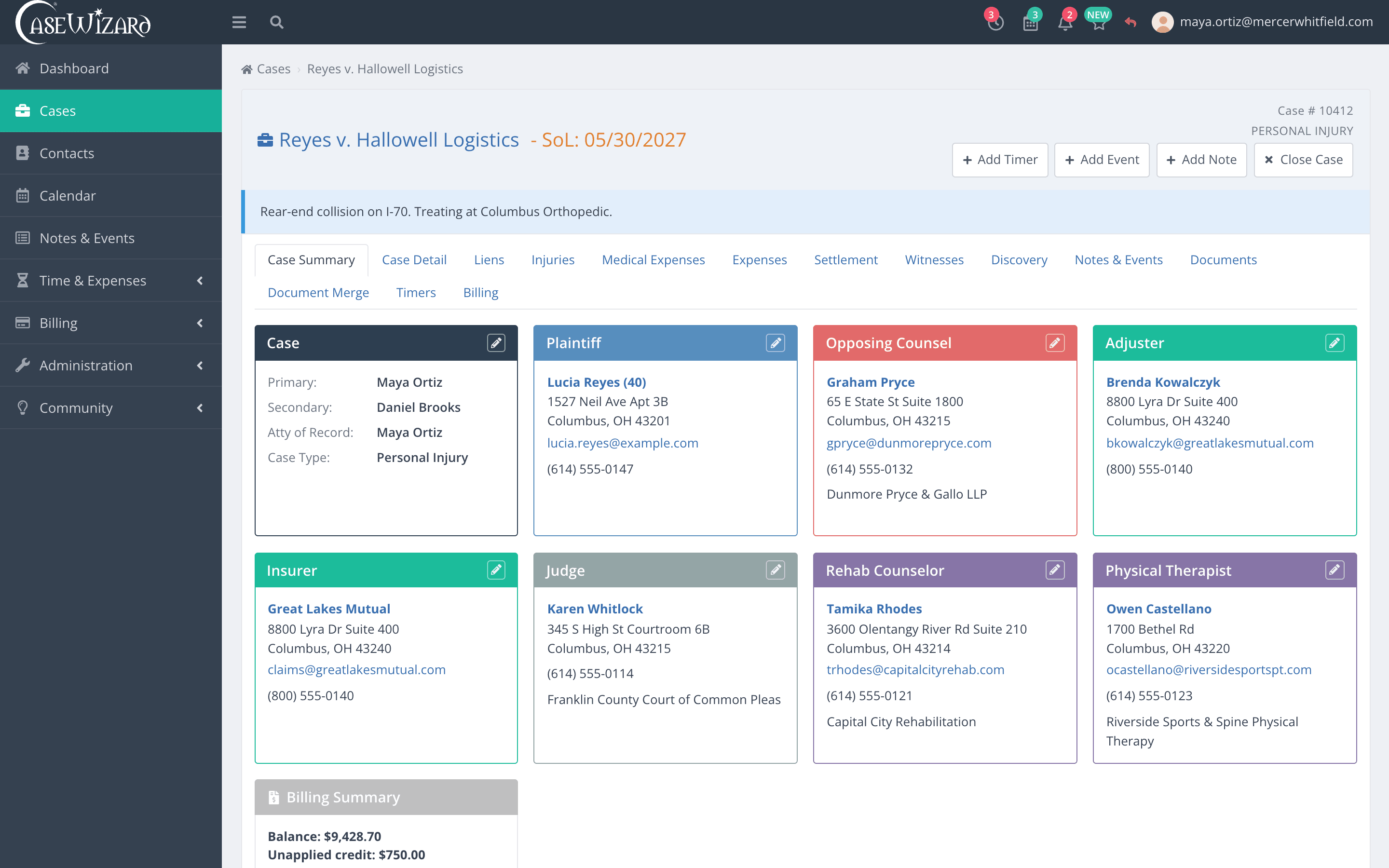
Cases
Every matter, with the fields its practice area needs.
A personal injury case opens with medical and settlement tabs; a criminal case with charges and statute sections. Thirty-one practice areas come configured, and your administrators can add the case detail fields your firm tracks.
- 31 practice areas, each with its own tabs and fields
- Your own case detail fields, added in Administration
- Parties, notes, documents and billing on the case
Documents
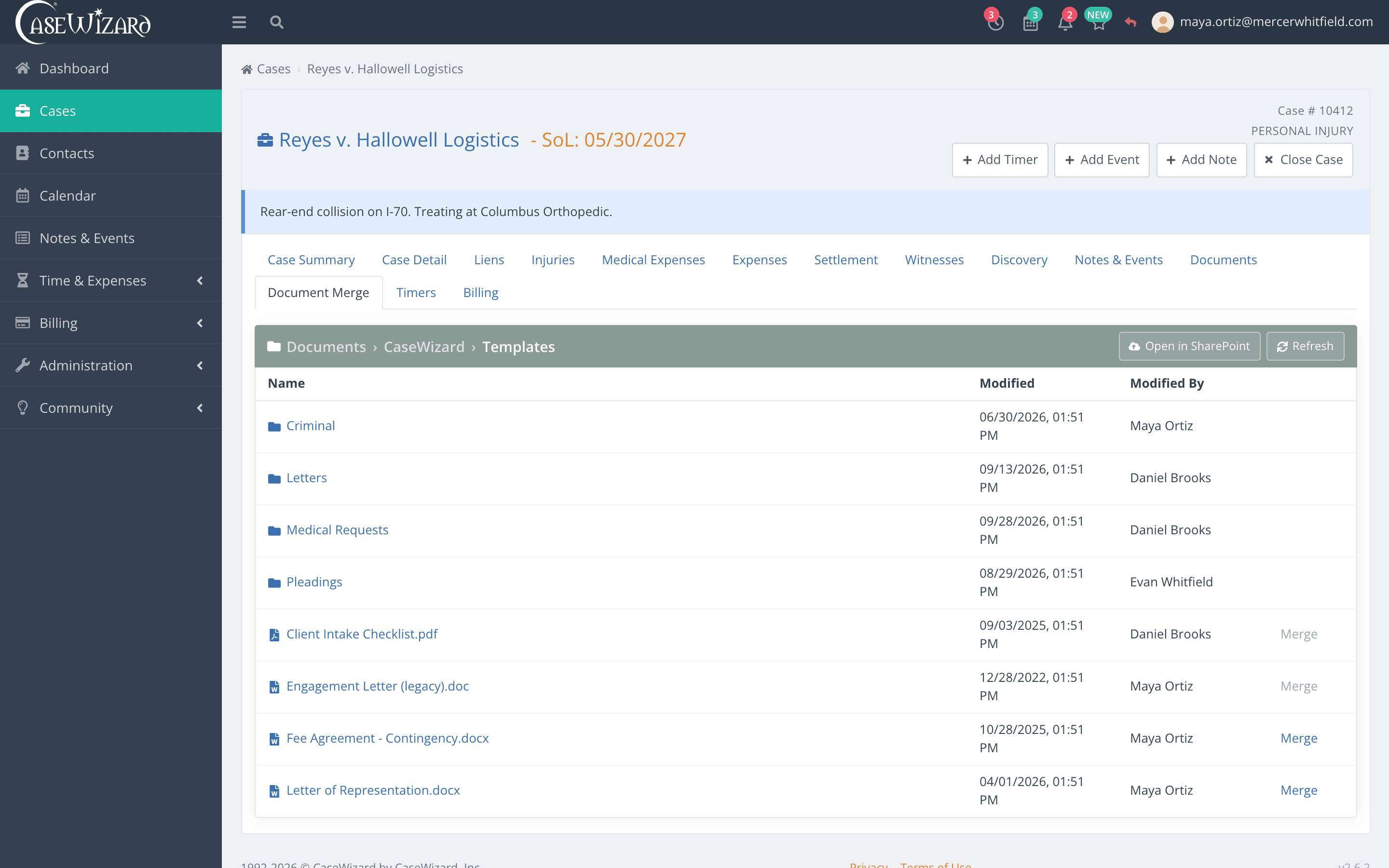
Templates that fill themselves from the case.
Keep your firm's templates in one folder and merge them with the case: parties, dates, court and claim details go in for you. Files live in SharePoint or Egnyte, and the Word add-in brings the same case data into Word while you draft.
- Merge firm templates with live case data
- Files stored in SharePoint or Egnyte
- A Word add-in that shows which merge fields are still empty
Time and billing
From a running timer to a paid invoice.
Record time as you work, review it on a pre-bill, send the invoice and apply the payment. Retainers, write-offs and statements are handled in the same place, and the billing reports read from the same numbers.
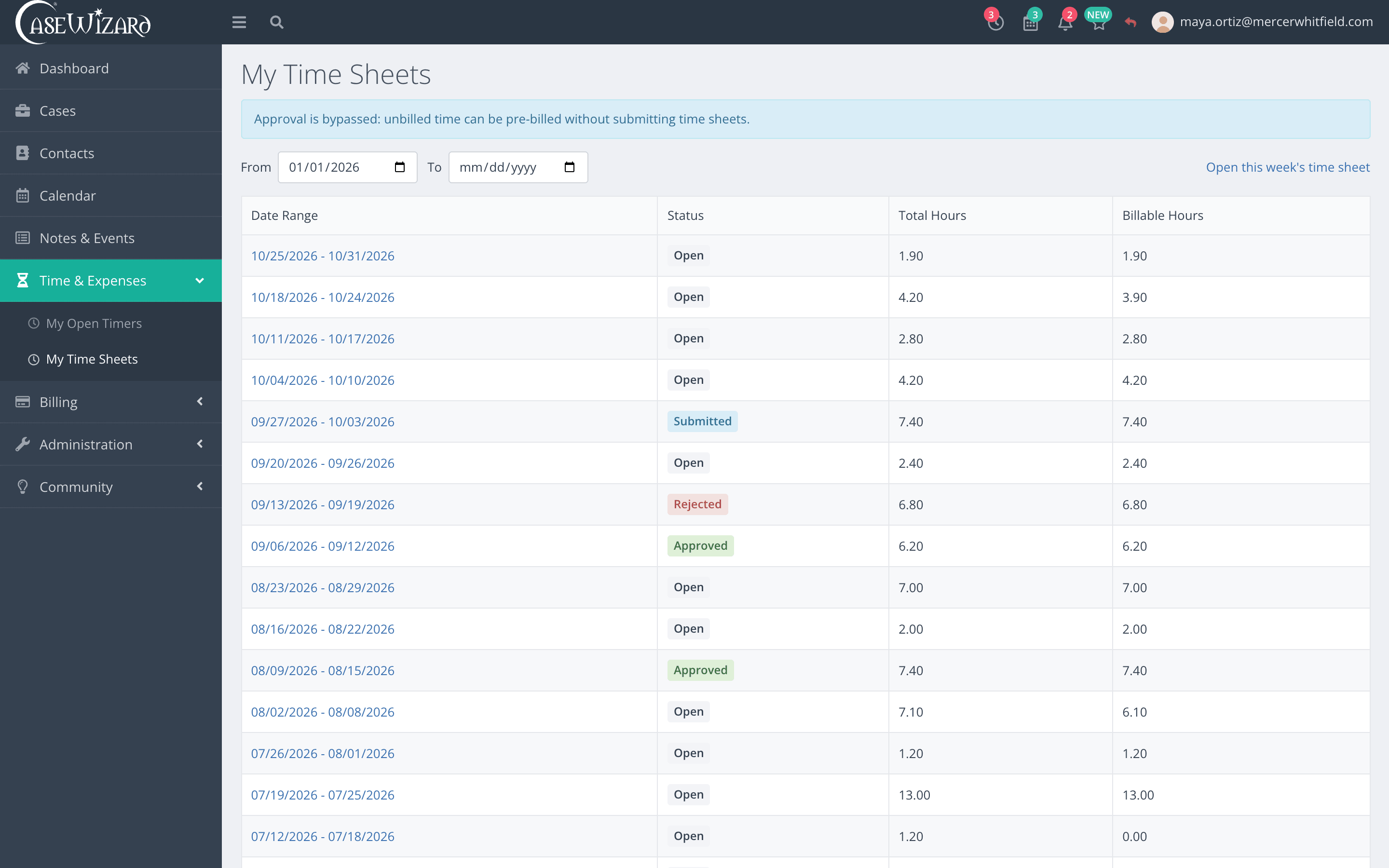
Time and expenses by timekeeper and day, from a running timer or entered by hand, each against a case.
Calendar
Hearings, depositions and deadlines on one firm calendar.
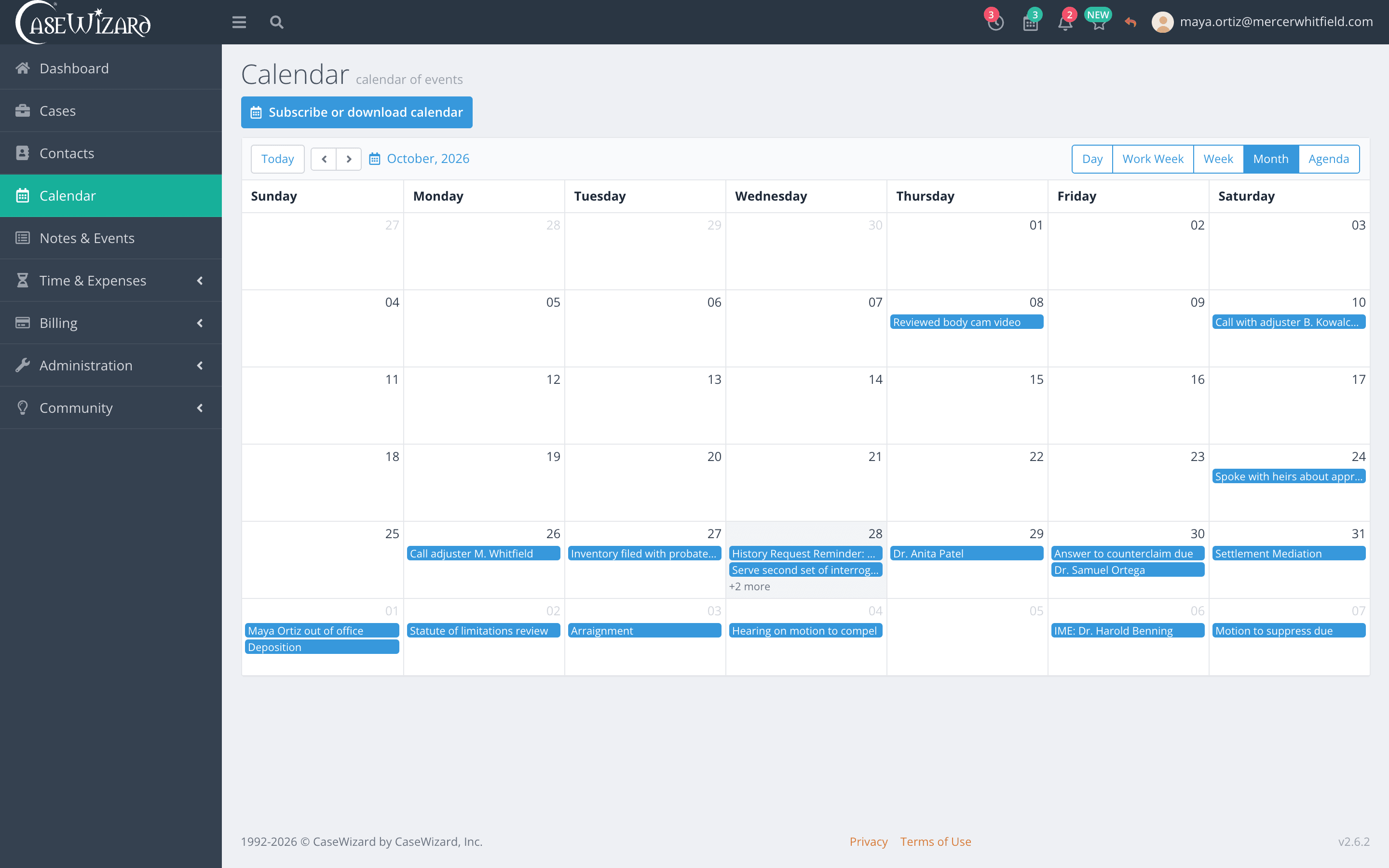
See the day, the work week, the week, the month or an agenda of what is coming up. Subscribe from the calendar app on your phone or desk, so the dates follow you.
- Day, Work Week, Week, Month and Agenda views
- A live subscription for Apple Calendar, Outlook and other apps
- A download for apps that import calendar files
Security and control
Decide who sees what, and see who changed it.
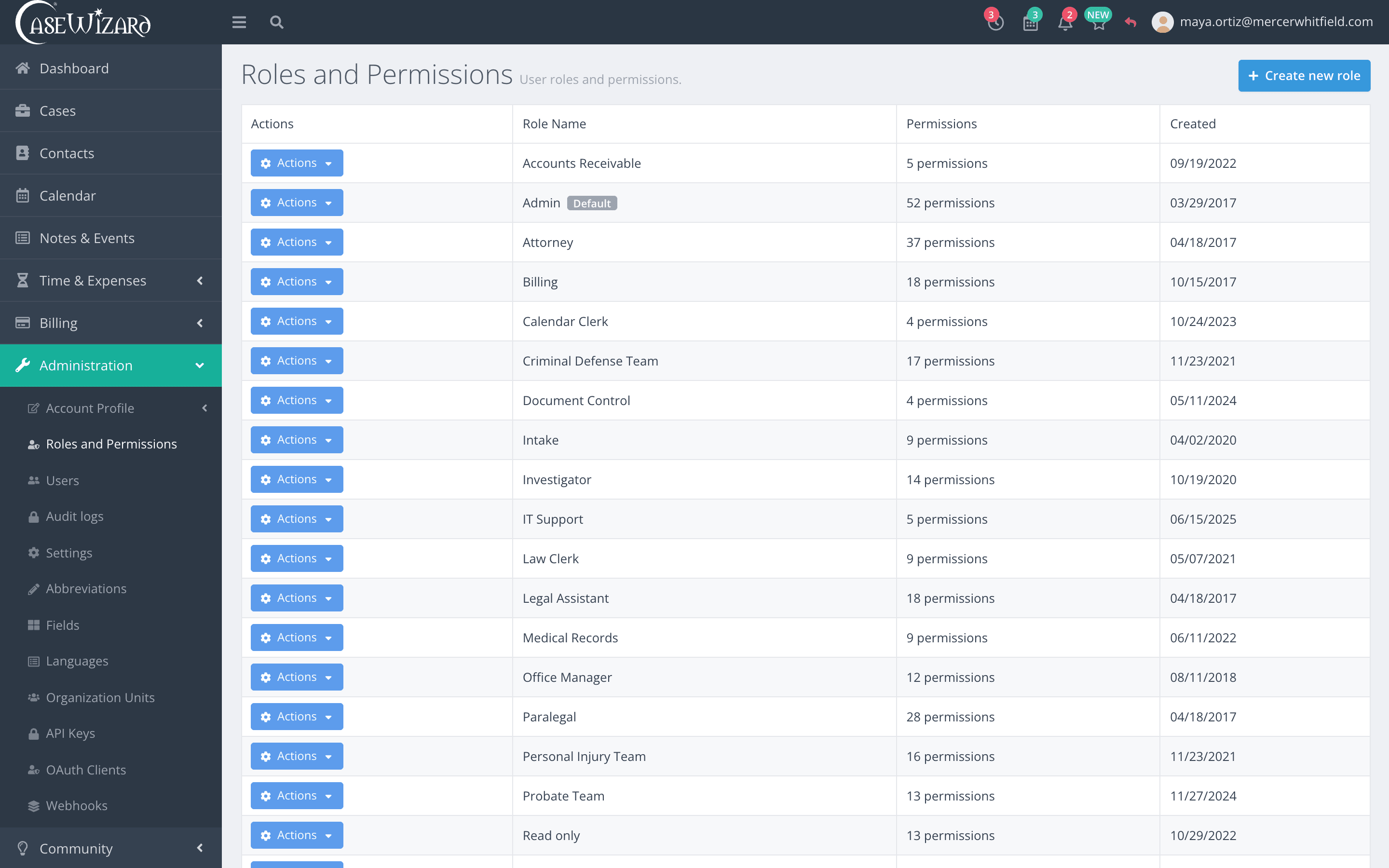
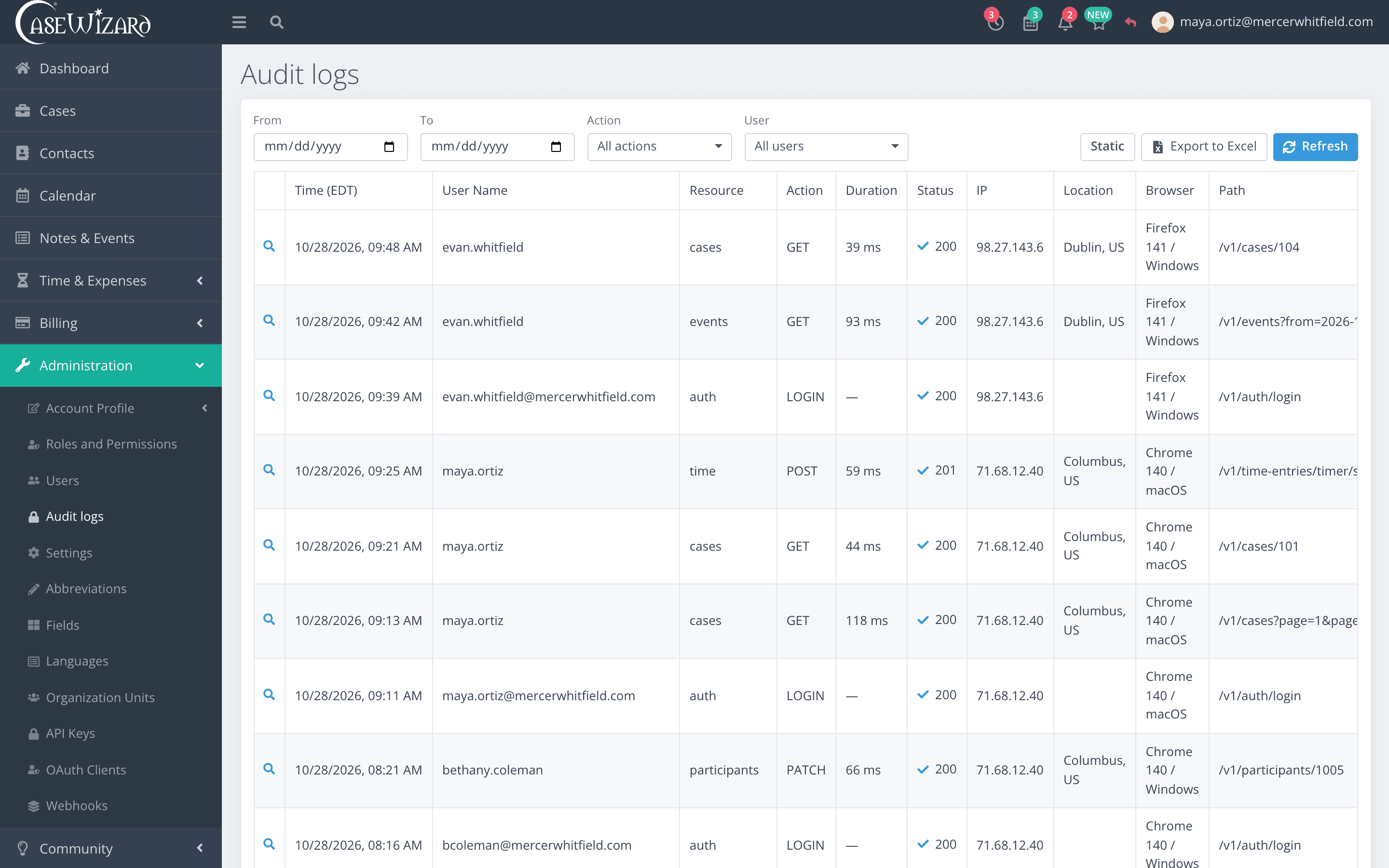
Roles grant access function by function. Every sign-in can require a second step, and changes to records are written to an audit log your administrators can search.
- Two-step sign-in with an authenticator app or a passkey
- Roles and permissions down to the function
- Each firm's data kept apart in the database itself
Practice areas
31 areas of law, configured on day one.
Each practice area comes with its own tracking fields and tabs. Search the list for yours.
31 of 31 practice areas
- Admiralty
- ADR
- Aviation
- Bankruptcy
- Civil Rights
- Constitutional
- Construction
- Consumer Protection
- Contract
- Corporate & Securities
- Criminal
- Divorce
- Employment & Labor
- Environmental
- Family & Juvenile
- Health
- Immigration
- Insurance Defense
- Intellectual Property
- International
- Landlord / Tenant
- Military Justice
- Personal Injury
- Property & Real Estate
- Social Security
- Sports & Entertainment
- Tax
- Technology
- Tort
- Wills, Trusts & Estates
- Workers' Compensation
And the rest
The rest of the practice, in the same place.
Contacts
Clients, opposing counsel, courts, adjusters and providers kept once and linked to every case they appear on.
Notes and events
Calls, meetings and notes logged against the case, so the history is there when someone picks the file up.
Discovery
Interrogatories, requests for production, depositions and their due dates, kept on the case.
Billing reports
Billed and collected, collections by attorney, A/R aging by client, payments and a pre-bill worksheet.
API and webhooks
API keys, OAuth clients and webhooks, managed by your administrators, for the tools your firm already runs.
Missing something?
What we build next comes from the firms that use CaseWizard. Tell us what would save your team time.
Suggest a featureSee it with your own cases.
We set the demo up for your practice areas, walk through cases, documents, calendar and billing, and answer your questions about moving your data over.