

Security
Built to keep client files confidential.
Two-step sign-in, permissions by function, masked sensitive numbers and a full audit log, with each firm’s data kept apart in the database itself.
Signing in
Only the right people get in.
Every way in to CaseWizard can be held to a second step, and repeated guessing is stopped.
Two-step sign-in
An authenticator app with one-time recovery codes, or a passkey. Your administrators can require it for the whole firm.
Passkeys
Sign in with the passkey on your device instead of a password, where your administrators enable them.
Guessing is stopped
After 10 wrong passwords or codes for one account within 15 minutes, that account waits 15 minutes before it can try again.
Idle sessions end
CaseWizard signs you out after 8 hours with no activity in any tab, and warns you five minutes before.
New password, fresh start
Changing your password signs out your other sessions, on every device.
Sign-in history
Each sign-in attempt is recorded, so anyone can check recent activity on their own account.
Access
Your firm decides who sees what.
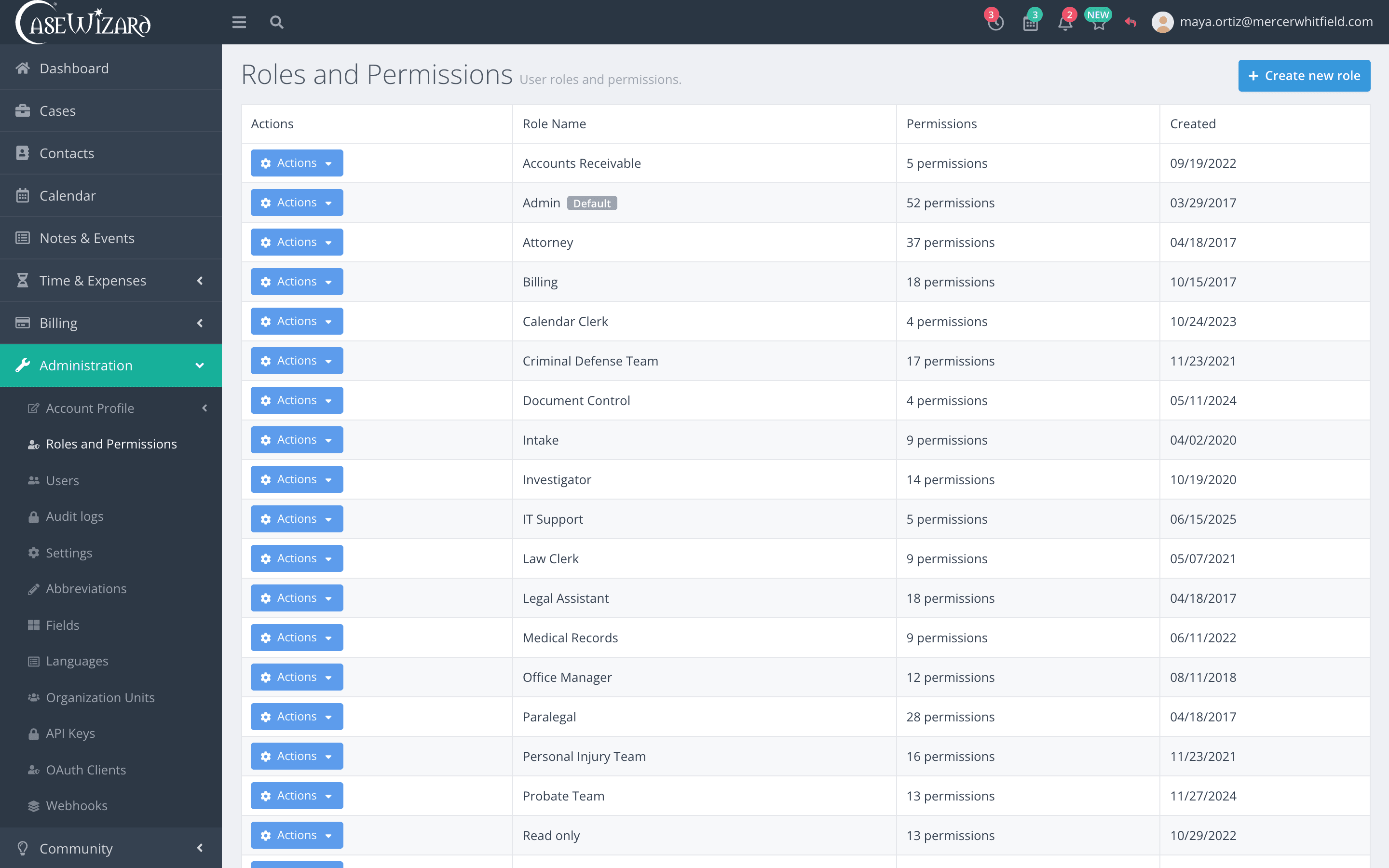
Permissions follow the work, function by function, and change the moment an administrator saves them.
Roles by function
Built-in Admin and User roles plus as many of your own as you need, each granting or withholding every function.
One person, one exception
Give or deny a single person a permission on top of their role, without making a new role for them.
Billing kept separate
Billing rates, billing settings and billing reports each have their own permission.
Sensitive numbers masked
Social Security and license numbers stay hidden until someone with permission reveals them, and every reveal is logged.
The record
A record of everything that happens.
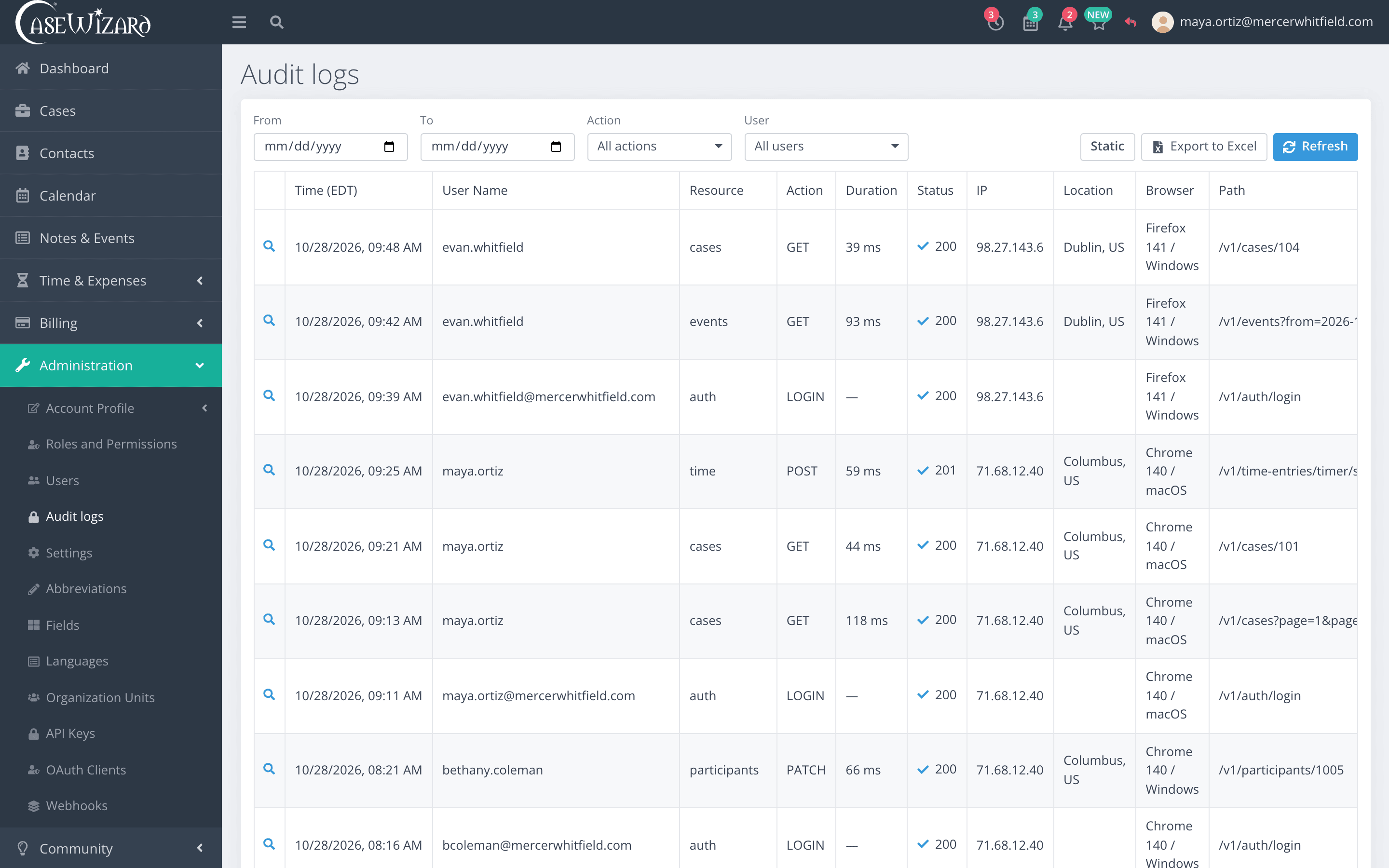
The audit log answers who did what, when, and what it was before.
Before and after
Each change records the field's value before and after, with the user, time, IP address, location and browser.
Views and exports too
Page views, exports and reveals of Social Security numbers are logged alongside the changes.
Search and filter
Search by name, case, user or IP address, and filter to sign-ins, failed sign-ins, permission changes or deletions.
A year of history
Twelve months of audit history, exportable to Excel when someone asks.
Your data
Your firm's data stays your firm's.
Firms are kept apart at the lowest level, and every connection your administrators allow is limited to what it needs.
Kept apart in the database
Each firm's data is kept apart in the database itself, not only by the screens in front of it.
Documents in your storage
Case files stay in your SharePoint or Egnyte, and each person signs in to it, so your storage's permissions still decide who sees what.
AI assistants, read-only
The hosted MCP server lets an assistant such as Claude read your firm's data, read-only, within the areas you grant.
Keys and webhooks, limited
API keys reach only the areas they need, and webhooks to your own systems are signed.
Reviewing CaseWizard for your firm?
Send us your security questionnaire or your questions, and someone who knows CaseWizard will answer within one business day. The customer docs explain each setting step by step.
Try it with your own cases.
Start a free trial and your firm’s CaseWizard is ready the moment you sign up, with no credit card. Prefer to be shown around? We will set a demo up for your practice areas and answer your questions about moving your data over.